Easter Bunny Line Art Bundle – Hand Draw: A Practical Guide for Creators
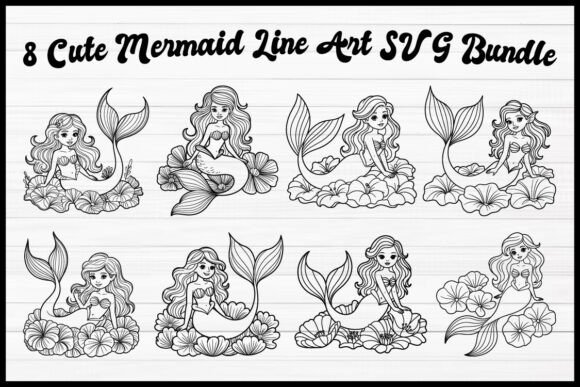
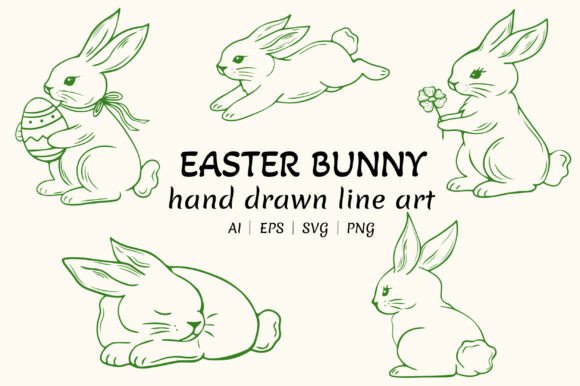
When searching for seasonal graphics, it is easy to get swept up in the charm of a design without considering its technical application. The Easter Bunny Line Art Bundle – Hand Draw offers a collection of cute, hand-drawn rabbit illustrations featuring clean, minimal outlines. With poses ranging from sitting and sleeping to jumping and holding Easter eggs or flowers, this set appeals to crafters, small business owners, and designers alike. However, owning versatile vector files is only the first step. Many creators encounter frustration not because the art is flawed, but because they misunderstand how to leverage the specific format of hand-drawn line art for different mediums.
This bundle includes AI, EPS, SVG, and transparent PNG files, making it theoretically compatible with everything from Cricut and Silhouette machines to professional print packaging. Yet, the transition from a digital download to a finished physical product requires attention to detail. By addressing common oversights regarding file selection, scaling, and customization, you can ensure your Easter crafts, sublimation projects, and apparel designs look professional rather than pixelated or disjointed.
Distinguishing Between Raster and Vector Usage
One of the most frequent mistakes creators make is using the wrong file format for their intended output. While the Easter Bunny Line Art Bundle – Hand Draw provides both raster (PNG) and vector (AI, EPS, SVG) formats, treating them as interchangeable often leads to poor results. PNG files are excellent for quick digital mockups or web use, but they have fixed dimensions. If you attempt to stretch a standard PNG for a large window decal or a t-shirt back print, the edges will blur and pixelate, ruining the crispness that defines this minimal outline style.
Conversely, vectors are mathematical paths that scale infinitely without losing quality. For cutting machines like Cricut or Silhouette, always prioritize the SVG file. These files contain distinct cut lines rather than flattened pixels. A common oversight occurs when users import a PNG into their cutting software and rely on auto-trace features. Auto-tracing hand-drawn art can result in jagged edges or disconnected nodes, causing the blade to stutter or the vinyl to tear during weeding. Using the native SVG ensures smooth, continuous cut lines that respect the original artist’s stroke weight.
Checking Node Complexity for Cutting Projects
Even when using the correct SVG file, not all line art is optimized for physical cutting. Hand-drawn styles naturally possess more organic curves and anchor points than geometric clipart. Before sending a design to your cutter, open the SVG in your design software and inspect the node count. Excessive nodes can slow down older machines and create rough edges on intricate details like bunny fur texture or flower petals.
If the design feels too dense, simplify the path before cutting. Most vector editing programs offer a "simplify" or "optimize" function that reduces node count while preserving the visual shape. This step is particularly crucial for adhesive vinyl projects where weeding tiny, unnecessary fragments can be tedious and time-consuming. Taking thirty seconds to optimize the file can save hours of frustration at the crafting table.
Avoiding Stroke Weight Issues in Scaling
The minimal outline aesthetic is a major selling point of this bundle, but it presents a unique challenge when resizing. A line weight that looks elegant on a 5x7 greeting card may disappear entirely when scaled down for a sticker, or appear overwhelmingly thick when enlarged for signage. Many users assume that scaling a vector automatically adjusts the stroke proportionally, but this is not always the default behavior in design software.
Always check your "Scale Strokes & Effects" setting before resizing. If this option is unchecked, shrinking the bunny illustration will keep the line thickness static, resulting in a blob-like appearance where the outline consumes the negative space. Expanding the artwork without adjusting stroke weight can make delicate hand-drawn details look clunky and unrefined. Conversely, enlarging the design without increasing stroke weight can make the lines look faint and unfinished on printed materials.
For sublimation and apparel, test print your scaled design at actual size on regular paper before committing to expensive transfer paper or fabric. What looks balanced on a high-resolution monitor may need adjustment in the physical world. This verification step prevents wasted materials and ensures the hand-drawn charm translates accurately across different sizes.
Color Mode Mismatches for Print vs. Digital
Another technical detail often overlooked is color space. The Easter Bunny Line Art Bundle – Hand Draw is likely created in RGB for digital versatility, but professional printing and some sublimation workflows require CMYK. Simply converting a black line drawing seems straightforward, but if you plan to customize the colors for spring decorations or branded packaging, failing to convert early can lead to unexpected color shifts.
Vibrant pastel pinks or greens seen on screen may print duller in CMYK. If you are customizing these bunnies for commercial products, establish your color profile at the beginning of the project. For pure black line art intended for coloring pages or simple decals, ensure the black is set to 100% K (Key/Black) rather than a rich black mix, which can cause registration issues or bleeding on lighter papers. Understanding this distinction ensures your invitations and packaging maintain the intended crisp, clean aesthetic.
Licensing and Customization Boundaries
Beyond technical execution, understanding usage rights is essential for entrepreneurs and marketers. While this bundle is perfect for stickers, t-shirts, and scrapbooking, verify the specific license terms regarding modification and resale. A common misunderstanding is assuming that purchasing a digital asset grants unlimited commercial freedom. Some licenses allow selling finished physical products but prohibit selling the digital files themselves or using the unaltered artwork as a standalone logo.
To add value and avoid potential licensing gray areas, integrate the hand-drawn rabbits into larger composite designs. Instead of placing a single bunny on a mug, combine multiple poses with typography, patterns, or other spring elements to create a unique composition. This approach not only respects intellectual property norms but also differentiates your products in a saturated market. When customers see a thoughtfully designed invitation or apparel piece rather than generic stock art, perceived value increases significantly.
Evaluating Style Consistency Across Projects
Finally, consider visual cohesion. The hand-drawn, minimal style of this bundle works beautifully for organic, whimsical themes. However, forcing these illustrations into rigid, corporate, or hyper-realistic layouts can create visual dissonance. Before downloading or applying the art, assess whether the loose, sketchy line quality aligns with your brand identity or project goal.
If your existing branding uses sharp, geometric sans-serif fonts and solid blocks of color, the soft curves of these bunnies might clash. In such cases, use the line art as an accent element rather than the focal point, or adjust your accompanying typography to bridge the stylistic gap. Successful design relies on harmony; ensuring the Easter Bunny Line Art Bundle – Hand Draw complements rather than contradicts your overall aesthetic will yield far more satisfying and professional results.